
Key Followers
Key Followers turns the follow graph into a watchlist. You pick a set of key profiles, the accounts whose judgement you rate, and the table shows every project they follow as it happens.
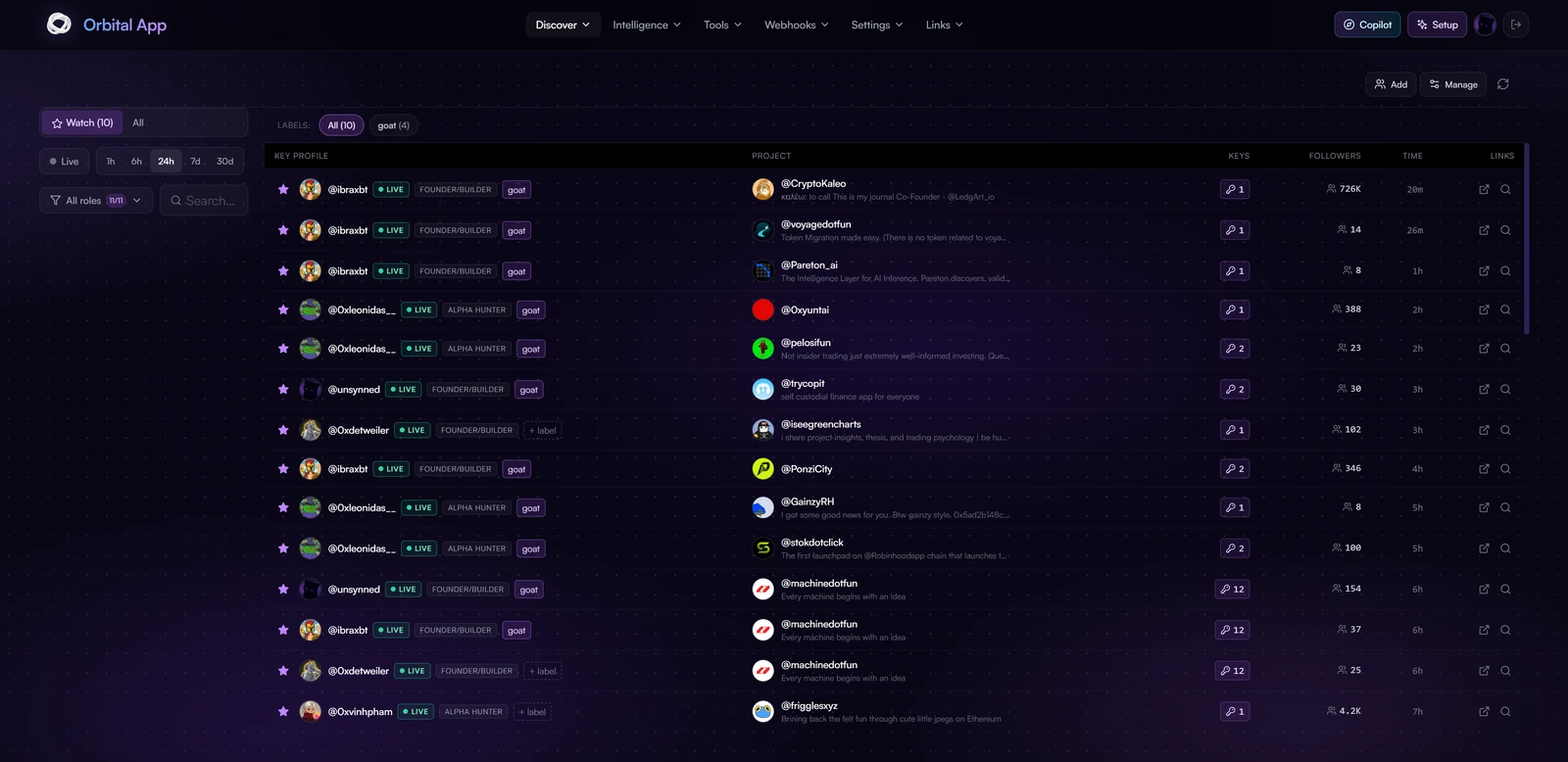
It is a Discover feature of the Orbital app.
Reading the table
Each row is one follow: a key profile on the left, the project they followed on the right.
- Key profile carries a role tag, for example Founder/Builder or Alpha Hunter, plus any labels you have applied
- Project shows the account with its bio, so you can judge it without leaving the page
- Keys counts how many of your key profiles follow that project. This is the convergence number, and it is the column to sort your attention by
- Followers is the project's follower count, which is how you tell an early catch from a crowded one
- Time is how long ago the follow happened
Click any avatar to open the profile card, where Follow / Unfollow acts on that account with your own X account. See Follow & Unfollow from anywhere.
A project with a Keys count of 1 is one person's opinion. A project several keys have independently found is a different signal entirely.
Filtering
- Watch or All: narrow to the key profiles you have starred, or see everything
- Time window: Live, 1h, 6h, 24h, 7d or 30d
- Roles: filter by the role assigned to the key profile
- Labels: your own grouping, applied per key profile
- Search: free text across the table
Managing your keys
Use Add to bring a new account into your key set and Manage to edit or remove existing ones. Accounts you add are enriched automatically with role, bio and follower data.
Accounts you add yourself stay private to you.