
Verify your holdings
Minting the NFT is only half of it. Verification is what links the wallet holding your Blind Box to your Discord account, and it is what actually grants your roles. Until you verify, the NFT sits in your wallet and Discord has no idea it is yours.
You only need to do this once. It takes under a minute.
How to verify
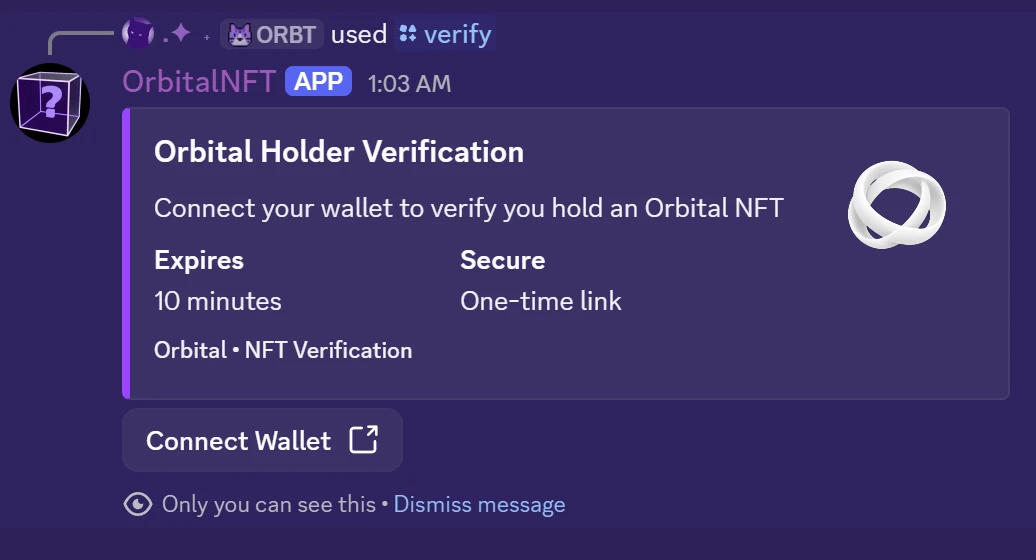
Run /verify in the Orbital Discord. The Orbital NFT bot replies with a private, one-time link. The reply is only visible to you, and the link expires after 10 minutes. If it lapses, run /verify again for a fresh one.
Open Connect Wallet, connect the Solana wallet holding your NFT, and sign. Phantom and Solflare are both supported. Signing proves ownership; it never moves your NFT and costs nothing.
Once the signature is confirmed, your holder role is granted automatically, matched to your NFT rarity. Members-only channels and every bot command unlock immediately.
Good to know
- Verify once. You do not need to repeat it unless your holdings change.
- Access follows the NFT. If you sell or transfer it, re-running
/verifyremoves the roles. - Holding more than one box does not stack access. Your role reflects your highest rarity.
Command reference: Orbital NFT.