
Follow & Unfollow from anywhere
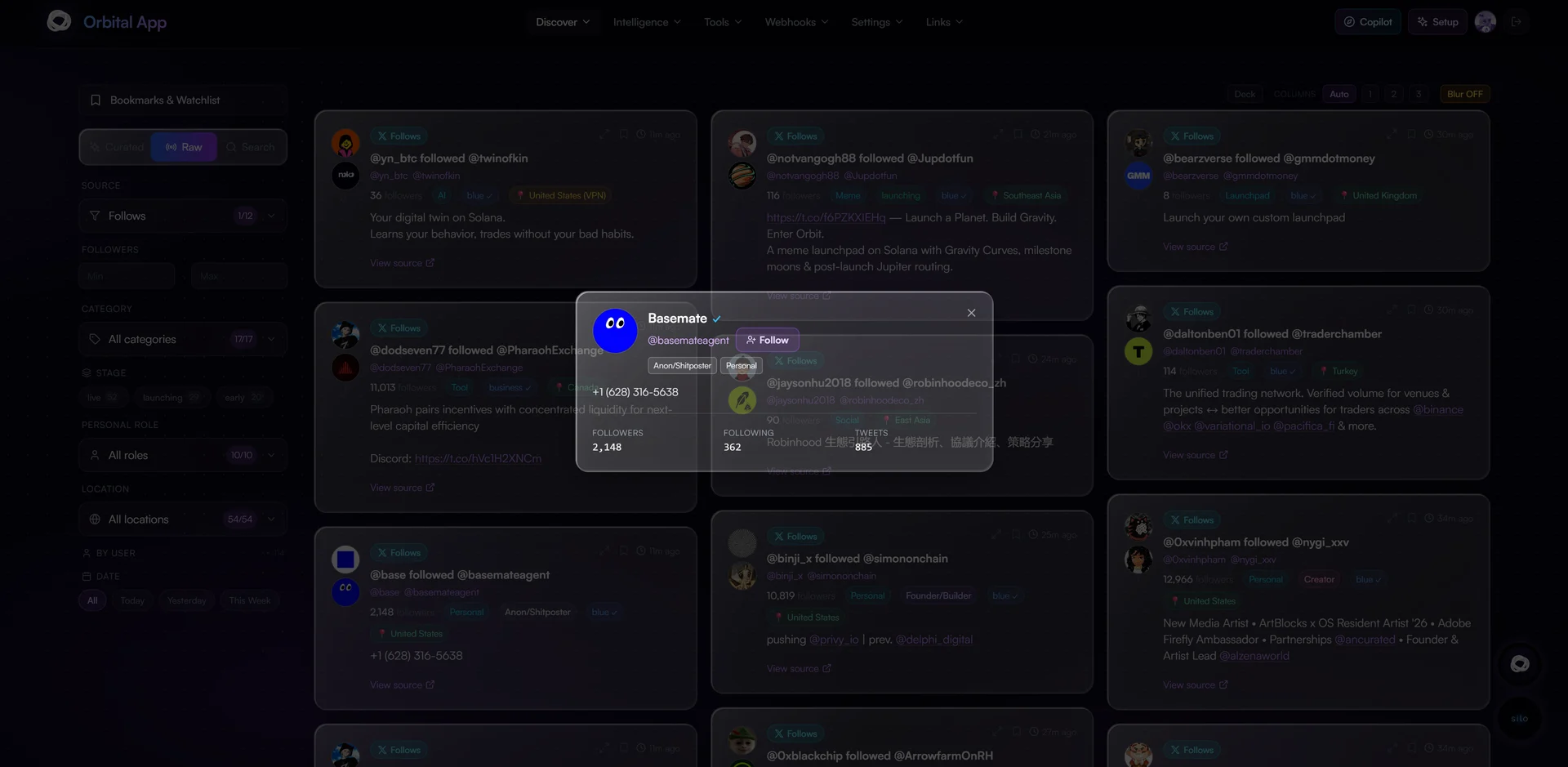
Spot an account anywhere Orbital shows it and follow or unfollow it with your own X account, in one tap, without opening X. It works across the whole Orbital stack:
- In the app: Radar, Feeds, Key Followers and My Followings.
- In Discord: under X follow posts, with a private Follow / Unfollow reply only you can see.
- In Telegram: Follow / Unfollow buttons under every X Follow and Early Web3 post.
Every action is done as you: it uses the X session you connected to Orbital, never a shared account.
Before you start
- An Orbital subscription (Users or NFT Holder).
- Your X account connected: upload your X cookies in My Followings → Settings, or run
/cookiesin @orbitalfeedsbot on Telegram. Without them, the buttons show Connect X instead. - For Telegram only: your Telegram linked to your Orbital Discord account. Run
/verifytgin the Orbital Discord and send the code to @orbitalfeedsbot.
How it keeps your X account safe
A click never hits X directly. Each follow or unfollow joins your own queue, which Orbital works through at a human pace:
- Paced: the first few actions go through in seconds, then the pace slows on big batches, so X never sees a burst.
- Daily caps: up to 150 unfollows and 50 follows per day. Anything past the cap rolls over to the next day automatically.
- Undo: while an action is still waiting in the queue, click its button again to cancel it.
- Automatic pauses: if X rate-limits your account, the queue waits and resumes on its own. If X locks your account or your session expires, the queue stops and tells you what to do (unlock it on x.com or re-upload your cookies, then press Resume).
You can follow the queue live in My Followings and Cleanup: how many are left, when it finishes, and today's usage.
In the app
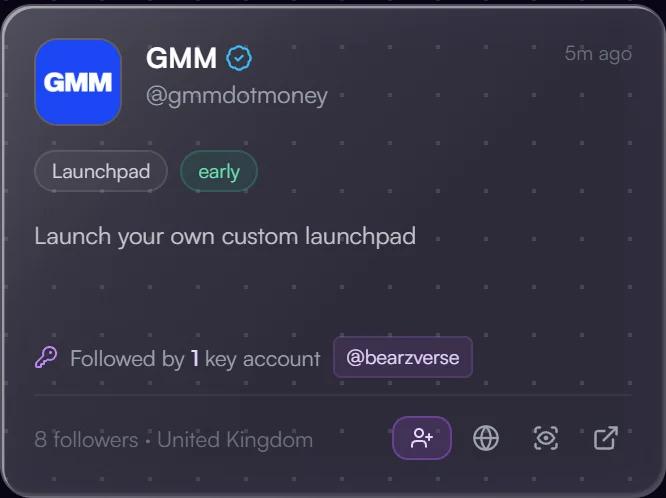
- Radar: every project card has a follow icon in its footer.
- Feeds and Key Followers: click any avatar to open the profile card, then Follow or Unfollow next to the handle. On Key Followers this works for both the key account and the project.
- My Followings:
- The red unfollow icon on each card now really unfollows on X, then removes the card.
- Cleanup → Unfollow Selected unfollows a batch of inactive accounts. You see the exact list and an estimate before confirming, and accounts already queued are locked so they can't be selected twice.
- New follows show up in your list on their own: follows made through Orbital appear as soon as X confirms them, and follows you make directly on X appear within a couple of minutes.
- Unfollow buttons only apply to the X account your cookies belong to. If you also monitor a second account, its cards keep Remove from list.
The button always shows your current state for that account: Follow, Unfollow, or Queued with an estimate.
In Discord
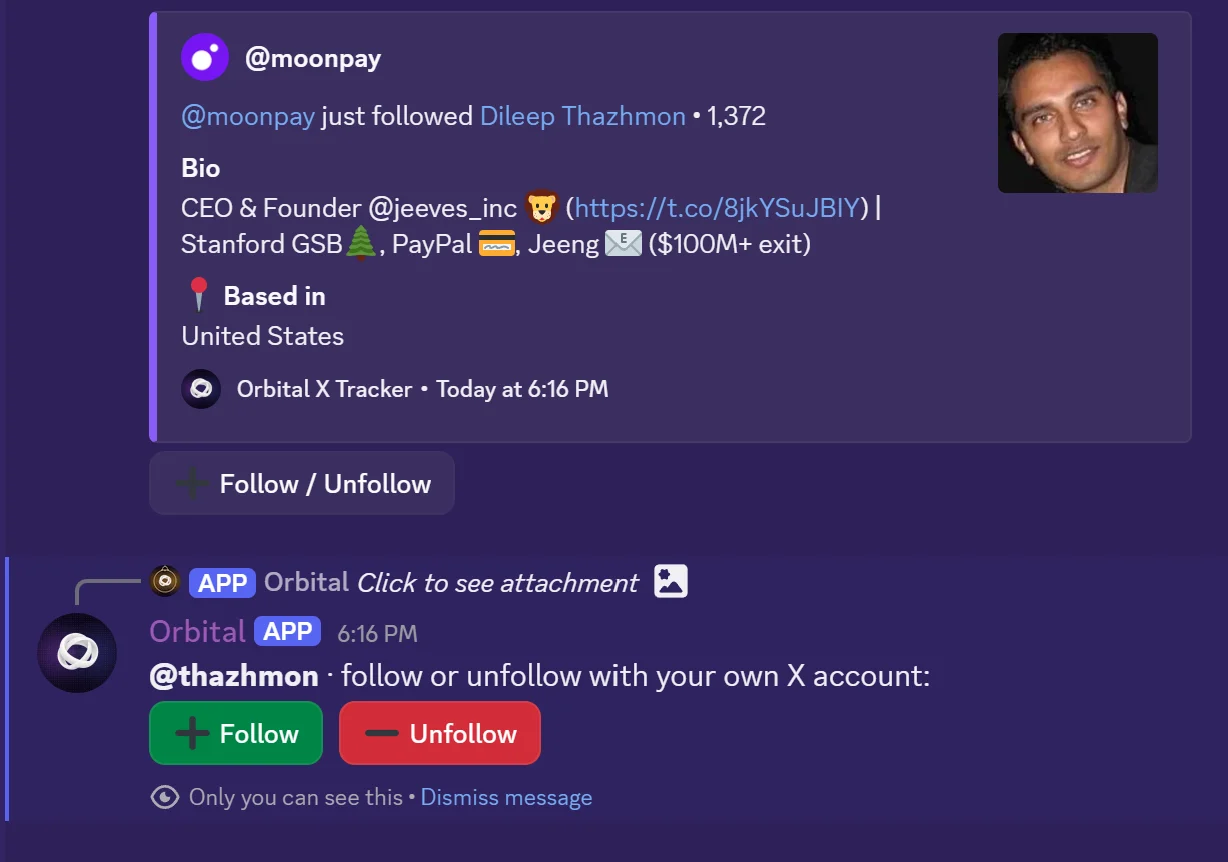
X follow posts carry a ➕ Follow / Unfollow button. Clicking it opens a private message from Orbital, visible only to you, with Follow and Unfollow. The action runs with your X account, whoever posted the feed. If your X account isn't connected, the reply tells you where to connect it.
- Orbital's own feed channels (X follows, Early Web3 and their sub-feeds) have the button on every new post.
- Your personal X follow feed (
/xfollows) gets the button when the Orbital Bot creates the feed's webhook for you. See Orbital Bot → X Follows. A webhook you paste yourself still works, but without the button: Discord only allows interactive buttons on webhooks created by the bot.
In Telegram
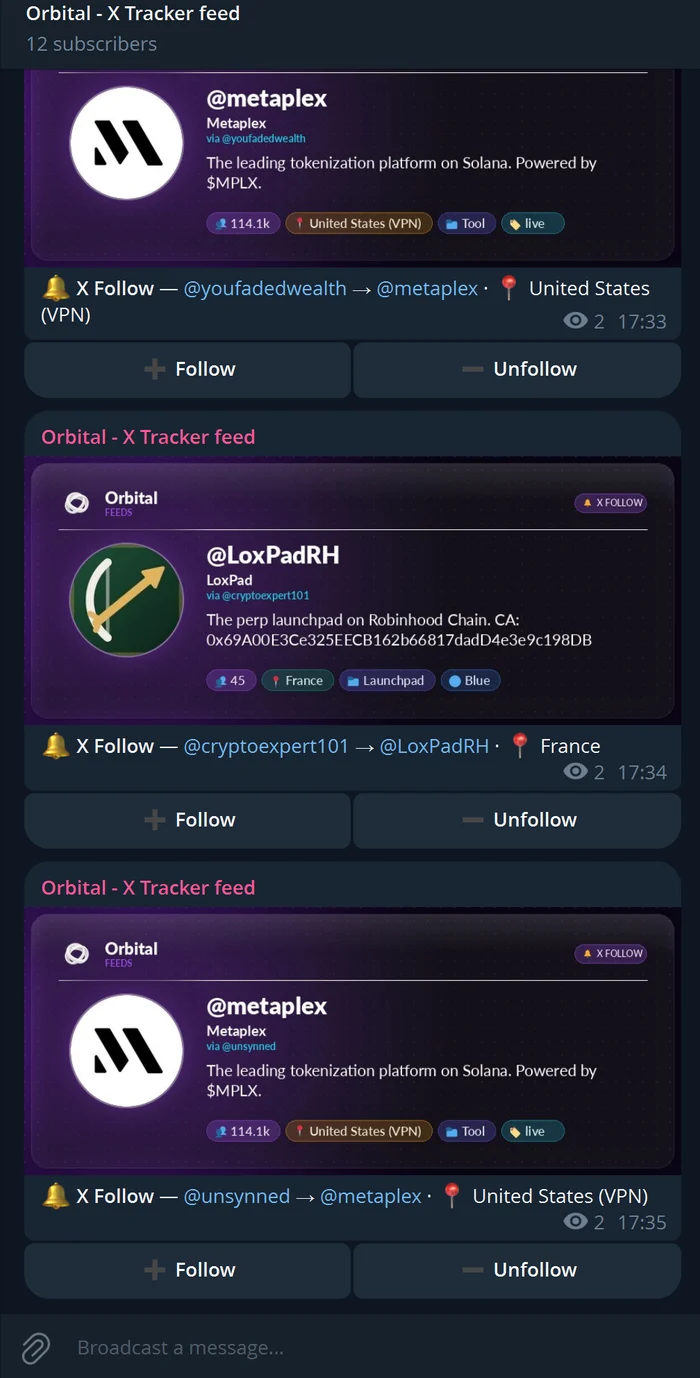
Every X Follow and Early Web3 post from Orbital Feeds has Follow and Unfollow buttons, in the channels, your DMs and category feeds. Tap one and a small confirmation pops up (for example "✅ Queued: follow @drift · in a few seconds"). You never leave Telegram.
FAQ
Does Orbital post, like or DM anything as me? No. The connected session is only used for the follows and unfollows you tap, and for reading your own followings in My Followings.
Why is my action "Queued" and not instant? The queue paces actions so X never sees a burst from your account. A handful goes through in seconds; big clean-ups take longer and may finish the next day.
Can I cancel? Yes, as long as the action is still queued: click the button again, or press Stop all in the queue panel.
Nothing happens when I click in Discord or Telegram.
Check that your X account is connected in My Followings → Settings and, on Telegram, that your account is linked with /verifytg. The private reply or the pop-up always says what is missing.