
Starting Guide
A 5-minute walkthrough for new users. Pick the path that matches how you bought in.
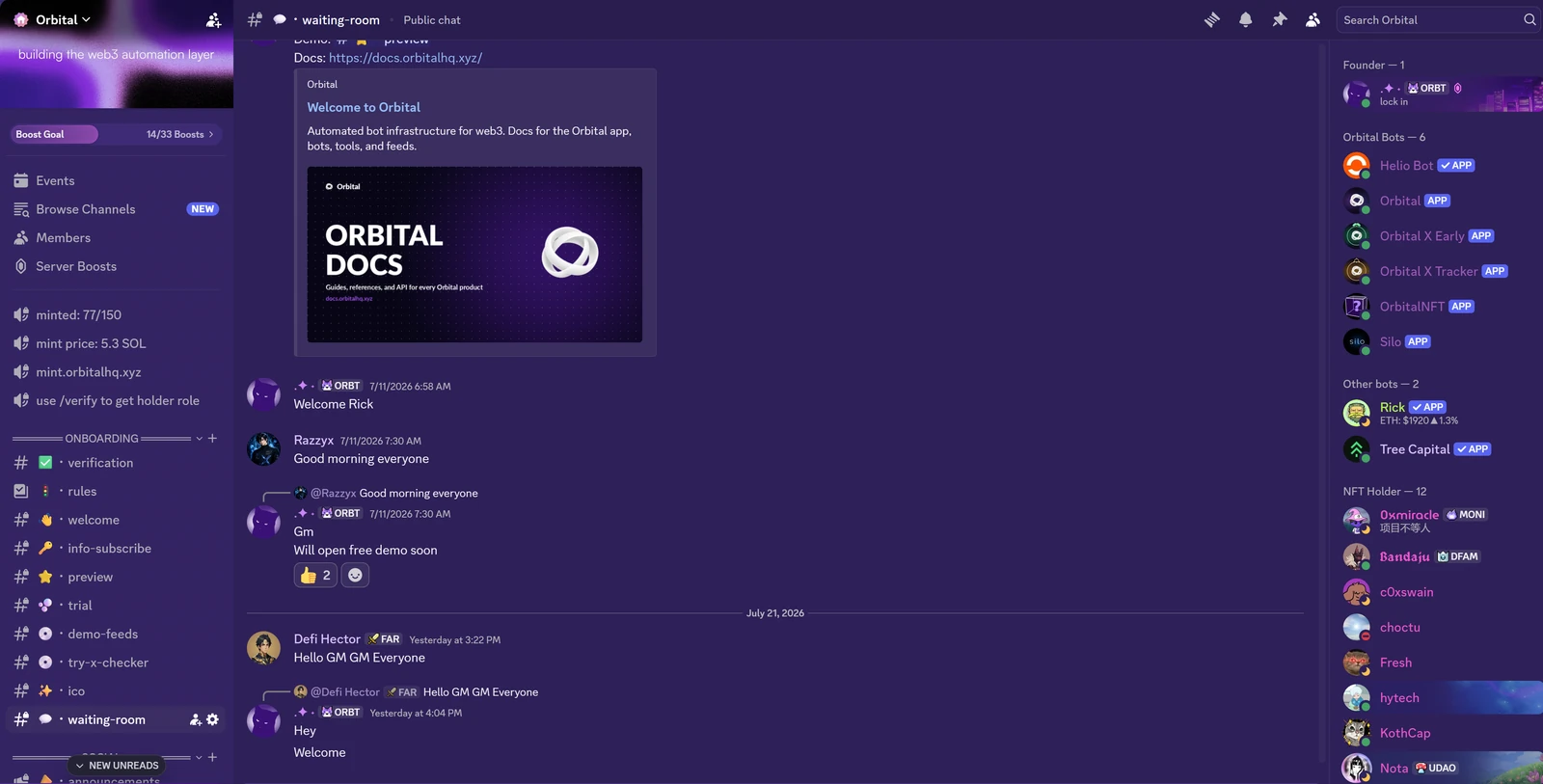
Step 1, Join the Orbital Discord
Everything starts here. Support, announcements, bots, feeds, roles.
Join: discord.gg/ghFCJg3tFU
Step 2, Choose your access path
You get the same platform either way. The difference is how you pay and for how long.
| Path | Price | Access | Best for |
|---|---|---|---|
| Free trial | Free | 3 commands a day for 7 days, one per account | Trying the bot before you buy |
| Monthly / Annual plan | Recurring | Members role until plan expires | Active users who want flexibility |
| Blind Box NFT | 4 SOL one-time | Lifetime access, tier depends on NFT rarity | Long-term power users |
Not sure yet? Tap Start 7-Day Free Trial in the server to test the bot commands first. See Free Trial.
- Subscribe: orbitalhq.xyz, log in with Discord at checkout, the Members role is assigned automatically.
- Mint: mint.orbitalhq.xyz, 150 total supply, max 3 per wallet.
Step 3a, If you subscribed (normal user)
Your Discord account is linked at checkout. Once the Members role lands, you can use:
Web app: app.orbitalhq.xyz (one login, both tools)
- Feeds:
/curated, the intelligence layer. Convergence signals, deep research, smart alerts, AI briefs. Start here. - Following Manager:
/following, analyze your X followings by category, get alerts on handle/bio changes, Pulse post tracking, and Pulse Token Watchers (CA-mention alerts from allowlisted KOLs).
Installable in your own server
- Orbital Bot: invite Orbital to a private server you admin, then toggle modules (X-Com, Mirror, Community tools, Security filters) from the app. See Orbital Bot.
- X-Tracker: notified when tracked X accounts follow someone new. Up to 50 accounts on paid plans.
Inside the Orbital Discord server
- X-Checker (Discord + Telegram), followers, first followers, engagement analysis, AI thread summaries. Telegram access via @orbitalxyzbot once you link your Discord with
/sync. - Silo (beta): AI agent for live prices, charts, X analysis, on-chain data
- Orbital Onchain: Solana wallet/holder/early-buyer analytics
- Feeds: X-Tracker Feed (100+ accounts), Early Caught Web3, Alpha Insights, X-Com Alerts, CT Tracking, Mirror Feed
Step 3b, If you minted an NFT (holder)
After the mint lands, you have two short steps to unlock everything.
1. Verify your holdings
Inside the Orbital Discord, run:
/verify
Connect the wallet that holds the NFT. The Orbital NFT bot checks your Blind Box, assigns your holder role, and unlocks all tools and feeds based on your NFT's rarity tier (Mythic / Legendary / Epic / Rare / Common).
Details: verify your holdings
2. Holder-only perks
On top of everything subscribers get, holders unlock:
- Referral program: earn 1 SOL per box minted through your link
/referral, get your link/myreferrals, see pending + paid rewards
- Priority access to collabs and updates: early heads-up on partnerships, new features, and holder-first drops
- Lifetime access: no subscription to maintain
Details: referral program
Step 4, Set up the app
The first time you open app.orbitalhq.xyz it runs a short setup flow that tailors the app to you. It takes about a minute, and you can skip it and come back later.
The first question is what you actually want out of Orbital. Pick from smart-money follows, tracking specific accounts (KEYS), X post tracking (Pulse), token and mention watchers, early projects, token signals (Predict), token charts, the Silo AI analyst, the X account checker and global intelligence.
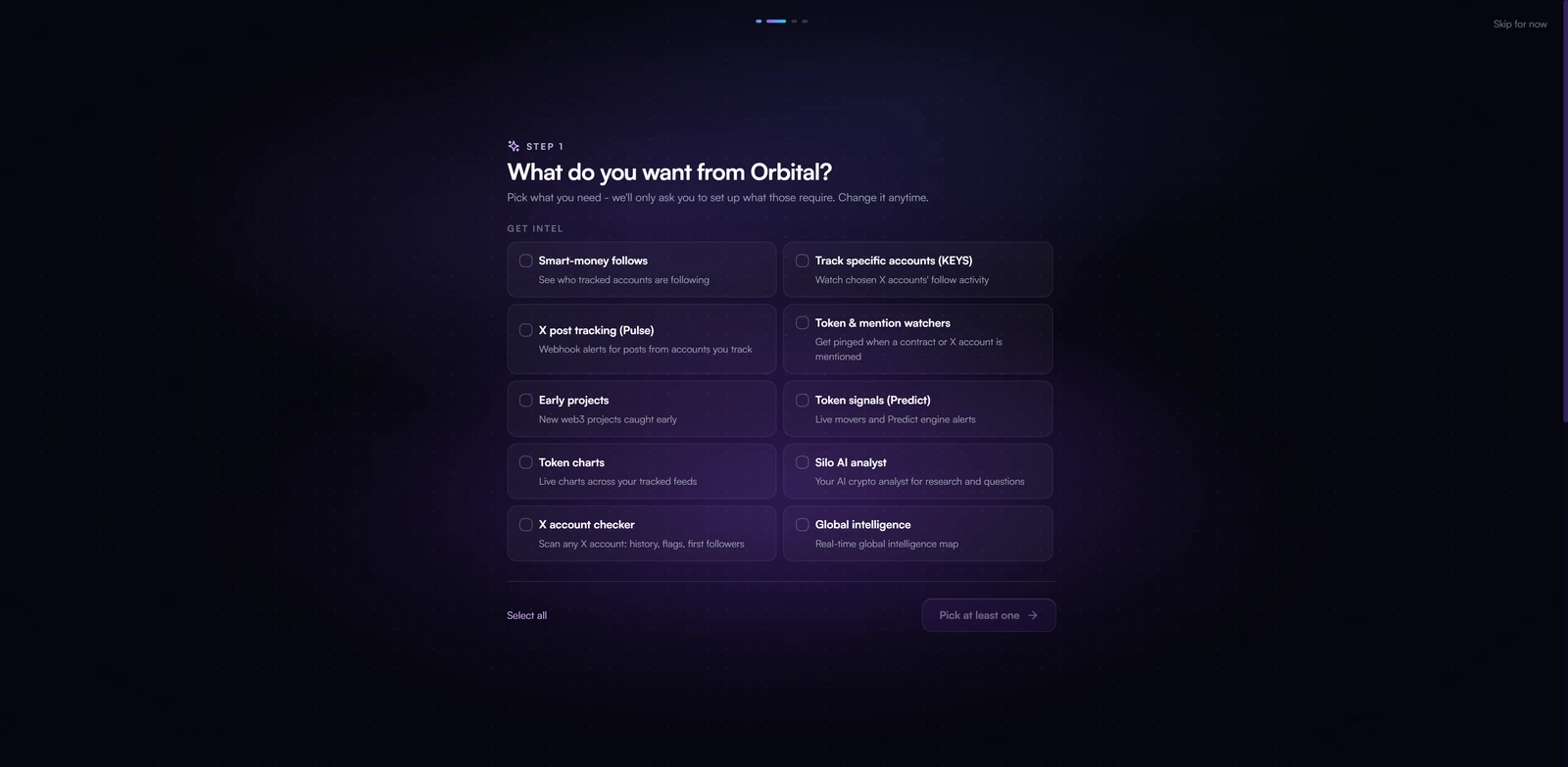
Your picks drive the rest of the flow: it only asks you to configure what those features actually need, so you are not walked through setup for tools you will never open. Select as many as you like, and change any of it later.
Step 5, Your first 10 minutes
A recommended order to actually feel what Orbital does:
- Open Feeds and toggle on DM notifications for the signals you care about (Smart Signals, Convergence, Predict, Watchlist).
- Add 2-3 tokens or X handles to your watchlist so you get alerted when they surface.
- In Discord, run
/userinfo <handle>with X-Checker on any account you're curious about. - Ask Silo a live question in chat: "what's the price of $SOL?" or "analyze @someaccount".
- Subscribe to 1-2 feeds that match your style (Alpha Insights for passive alpha, CT Tracking for real-time takes).
Where to go next
- What is Orbital?, full product overview
- Pricing, plan comparison
- Per-product guides under
products/for setup and commands
Need help? Ask in the Orbital Discord support channel.