Following Manager
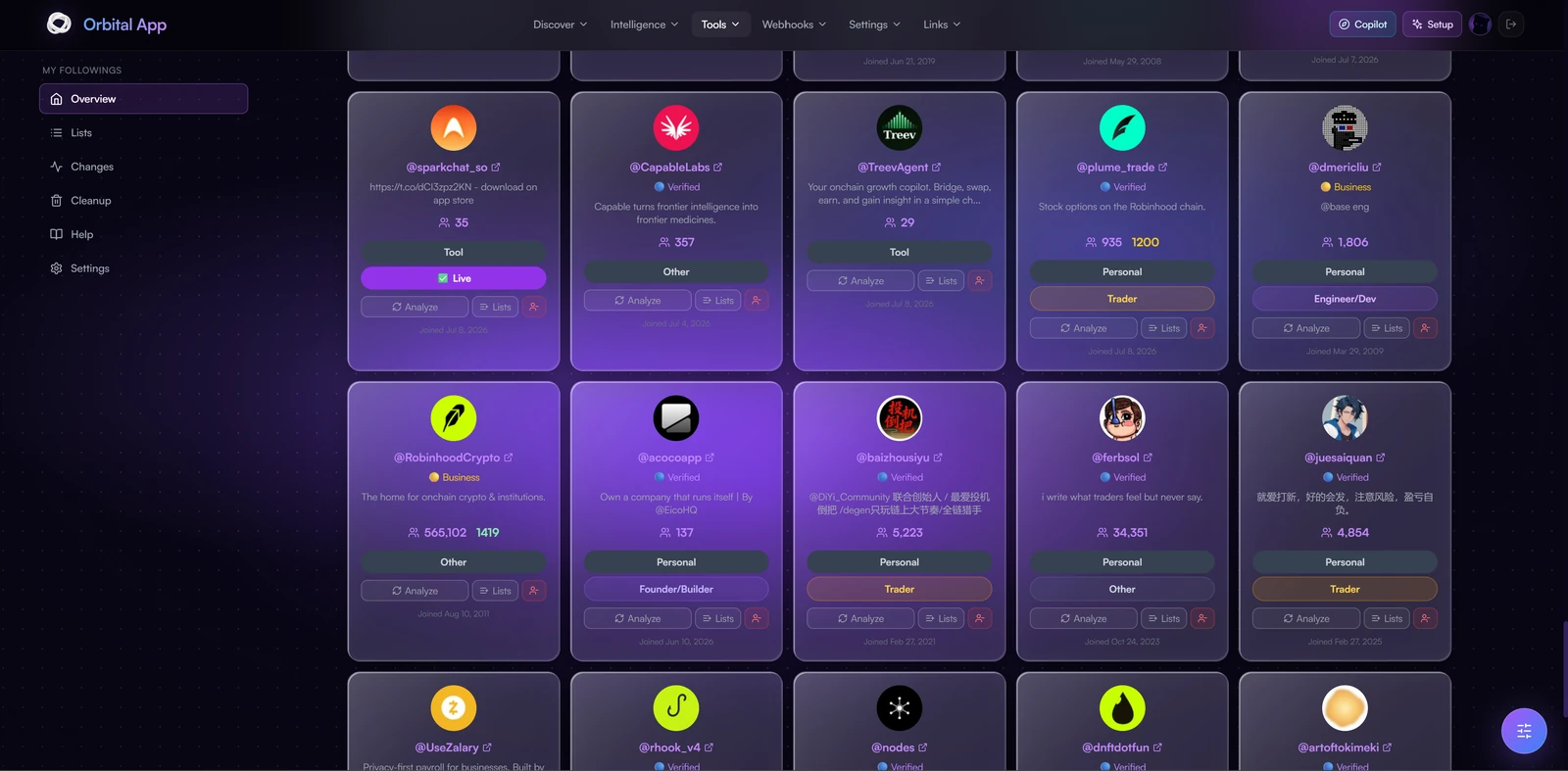
Following Manager (My Followings in the app) is a Tools feature of the Orbital app. It is your all-in-one workspace to track, search, filter, and monitor every account you follow on X with precision.
Key Features
Command Center Dashboard
- Access a clean command center with many filters to search by creation dates, keywords, follower ranges, full category mapping, and more.
- Switch between a detailed table for deep dives or a slick card view for fast visual scanning.
- Export your data as CSV or JSON for offline analysis.
Automatic Categorization
Every account you follow is automatically classified into categories including: DeFi, DEX, Bridge, NFT, Gaming, Infra, Trading Terminal, Tool, Analytics, DAO, Launchpad, Prediction Market, Wallet, Meme, AI, Privacy, Social, Stablecoin, RWA, and more.
Custom Lists & Monitoring
- Create custom lists and build dynamic collections that get scanned daily, so you never miss early movement or key updates.
Changes Feed
- Track bio edits, username updates, stage shifts, follower spikes, and deleted posts with automatic daily refreshes or manual scans on demand.
Cleanup Helpers
- Instantly spot inactive or abandoned accounts to keep your timeline sharp and signal-focused.
- Unfollow Selected now really unfollows them on X: confirm the list and Orbital works through it at a safe pace, with a live progress panel and Stop all.
Follow & Unfollow from anywhere
- The unfollow button on each card unfollows on X for real, and follows you make through Orbital land in your list as soon as X confirms them.
- The same one-tap Follow / Unfollow works across Radar, Feeds, Key Followers, Discord and Telegram. See Follow & Unfollow from anywhere.
Notifications
- Fully automated alerts via Discord DM or Webhook.
- Choose exactly which events you want to be notified about.
Shift: Real-time Follow Tracking
- Track multiple X accounts for new follows in real time.
- Set up Discord webhooks to receive live follow notifications.
- Filter by minimum follower count.
Pulse: X Post Tracking
Orbital X Post Tracking is live for all Users & NFT Holders.
Get a notification when the accounts you track post on X, directly through the Following Manager.
Pulse Token Watchers
Per-user contract-address watchers that ping you the moment any allowlisted KOL tweets about a specific token. The fastest way to catch a CA mention without doomscrolling X.
How it works
- Paste a contract address. Any chain, Solana or EVM. Optionally label it (e.g.
SOREN watch). - Allowlist who triggers the alert. Leave the field empty to use your followers/KEY thresholds, or list specific handles (
@elonmusk, @vitalikbuterin, …) so only those accounts can fire the watcher. - Pick a cadence. From 5 minutes (tightest, more cookie usage) to 24 hours (relaxed).
- Optional: KEY-tier only. Restrict the watcher to KOLs flagged as KEY accounts, curated, higher-signal subset.
- Save. The watcher runs in the background; you get a Discord DM (or webhook if configured) the second a match lands.
Limits
- Up to 5 active watchers per user.
- Edit, pause, or retire any watcher from the Pulse panel at any time.
- Hit counts and last-checked timestamps are visible per-watcher.
Tip: combine a tight cadence (5–10 min) with a short allowlist of trusted callers and you'll beat the chart almost every time.
Setup
- Go to https://app.orbitalhq.xyz/ and open Following Manager from the hub (or go directly to
/following). - Configure your X session cookies (browser extension export).
- Run a full account scan to import all your followings.
- Browse, filter, and organize from the app.